Acting on opportunities (Early Access)
This feature is in Early Access. During this time, aspects of the functionality may still be developed, and this documentation may not always be up to date. If you have any questions, contact Amplitude Support.
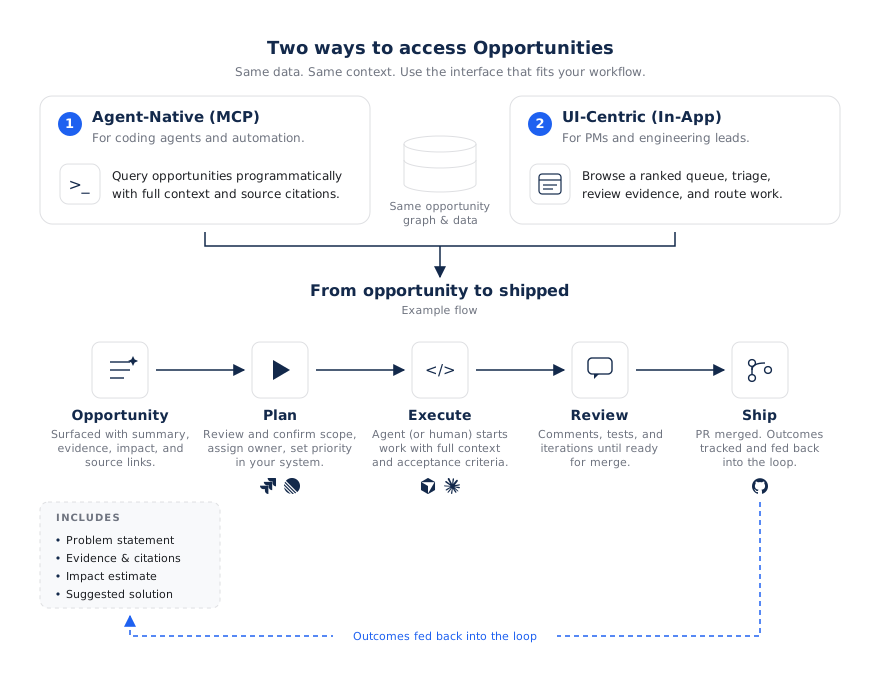
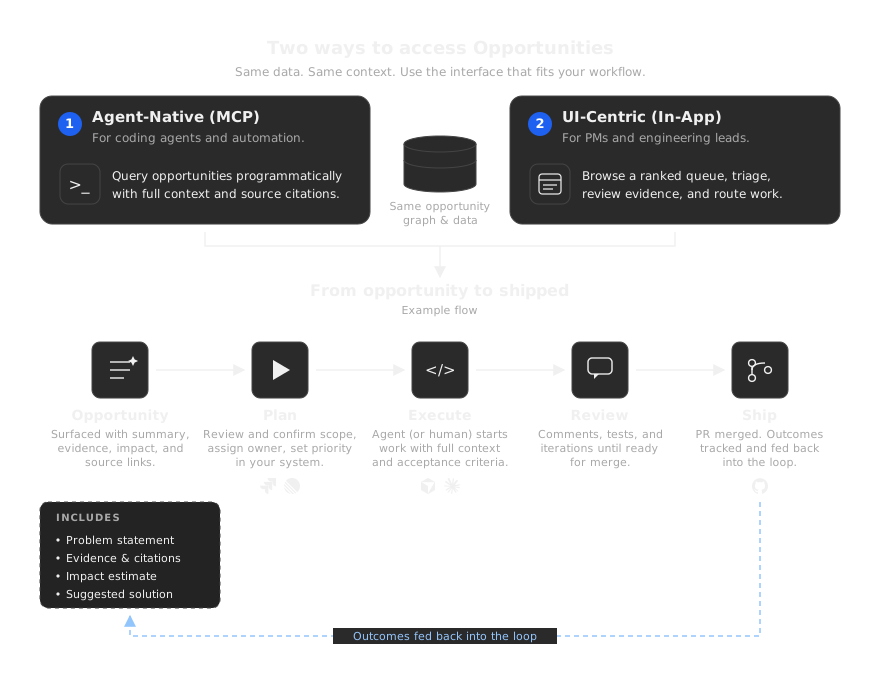
Discovery is only half the loop. The value comes from acting on Opportunities. There are two common ways to work: review and route Opportunities in the Amplitude UI, or read, triage, and implement them agent-natively through the Amplitude MCP server.
In the Amplitude UI
Review opportunities for a Product Area, then move one forward:
- Triage: Update an opportunity's status (for example from New to Planned), or dismiss it. Add a comment to capture context or a decision.
- Refine: Edit the plan directly, or use Global Agent to run follow-up analysis and sharpen the evidence or solution before acting.
- Route to execution: Use in-product CTAs to send the Opportunity to Jira, Linear, GitHub, or a coding agent.
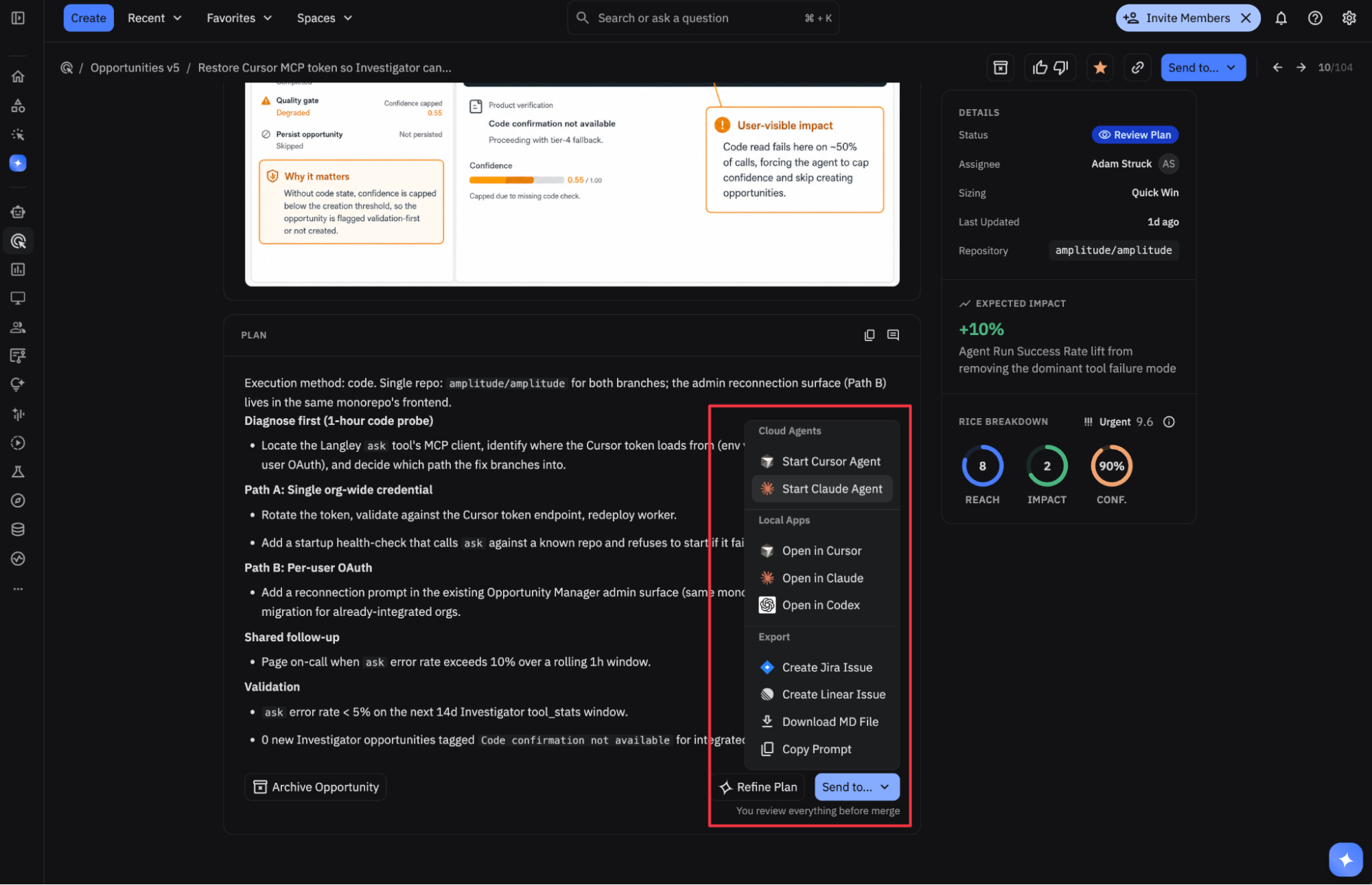
Take one real action first
The fastest way to feel the value is to pick one small, high-confidence opportunity and move it all the way through: to a ticket, a PR, or a shipped change.
Agent-native with MCP
If you'd rather stay in your editor, connect the Amplitude MCP server in Claude Code, Cursor, Codex, or another MCP client. This lets you read and edit Opportunity context, triage work through natural language, and orchestrate coding agents to draft pull requests grounded in an Opportunity's execution plan.For install and authentication steps, go to the Amplitude MCP server documentation.Opportunities MCP tools
Once connected, these tools let an AI client work with opportunities. This is the Opportunities-specific toolset, not the full Amplitude MCP catalog.
| Tool | What it does |
|---|---|
list_objectives | List Product Areas (objectives) so you can scope your work. |
list_opportunities | List opportunities, filtered by Product Area, status, or tags. |
search_opportunities | Find opportunities with natural-language semantic search. |
get_opportunity | Get the full detail of one opportunity, including evidence, scoring, and execution plan. |
get_relations | Traverse the opportunity graph: linked PRs, metrics, agents, and product map nodes. |
update_opportunity_status | Move an opportunity through its lifecycle (for example to In progress or For review). |
update_opportunity | Refine an opportunity's title, description, tags, or metadata. |
add_opportunity_comment | Leave feedback, blockers, or decisions on an opportunity. |
submit_opportunity_idea | Submit a new idea for AI-powered investigation within a Product Area. |
create_relation | Link an opportunity to a pull request, agent run, or metric. |
Tool availability
The exact tools available depend on your access and the features enabled for your organization. Tool names and behavior can change during the Research Preview.
Typical workflows
Triage and discover the highest-value work:
Finding and claiming work through MCP
You
Find the highest-confidence opportunities in the Checkout product area.
- Agent action
Calls
list_objectivesto find the Checkout Product Area, thenlist_opportunitiesfiltered to it and sorted by priority. AI
The top item is "Reduce checkout drop-off before payment": RICE-ranked highest, status New, backed by a funnel chart and 3 replays. Want me to open the full plan?
Implement an opportunity end-to-end:
Drafting a PR from an opportunity
You
Pick up that opportunity and draft a PR.
- Agent action
Calls
get_opportunityfor the full execution plan and acceptance criteria, thenupdate_opportunity_statusto mark it In progress. - Agent action
Reads the connected repository, implements the change, and opens a pull request.
- Agent action
Calls
create_relationto link the PR to the opportunity, thenupdate_opportunity_statusto For review. AI
Done. I opened a draft PR implementing the plan, linked it to the opportunity, and moved it to For review. The acceptance criteria are in the PR description.
Example prompts
Try these in your MCP client:
List the open opportunities in the Onboarding product area.
Show the evidence and target metric for opportunity
opp_8421.
Submit an idea: users abandon the mobile checkout at the payment step. Investigate why.
Mark opportunity
opp_3318as planned and leave a comment that the team plans to tackle it next sprint.
Close the loop
When work ships, the Opportunity moves to Shipped and then Measured, tying the change back to its target metric. That outcome, plus any feedback you leave along the way, feeds back into discovery so the next set of Opportunities is sharper.
Once setup is complete, start with a small first batch, choose one high-confidence Opportunity, and work it through your normal execution flow. That is usually the fastest path to value and the fastest way to improve quality from there. For how status and measurement work, go to Opportunities.Was this helpful?