For AI agents: a documentation index is available at /docs/llms.txt. Append .md to any page URL for markdown, or send Accept: text/markdown.
Wave - Amplitude Opportunities
This feature is in Early Access. During this time, aspects of the functionality may still be developed, and this documentation may not always be up to date. If you have any questions, contact Amplitude Support.
Wave is Amplitude's broader AI-driven product evolution. In the Amplitude app and these docs, the workflow that turns product signals into prioritized, evidence-backed work appears as Opportunities. If you arrived here from Wave, start with Opportunities to understand the day-to-day product surface.
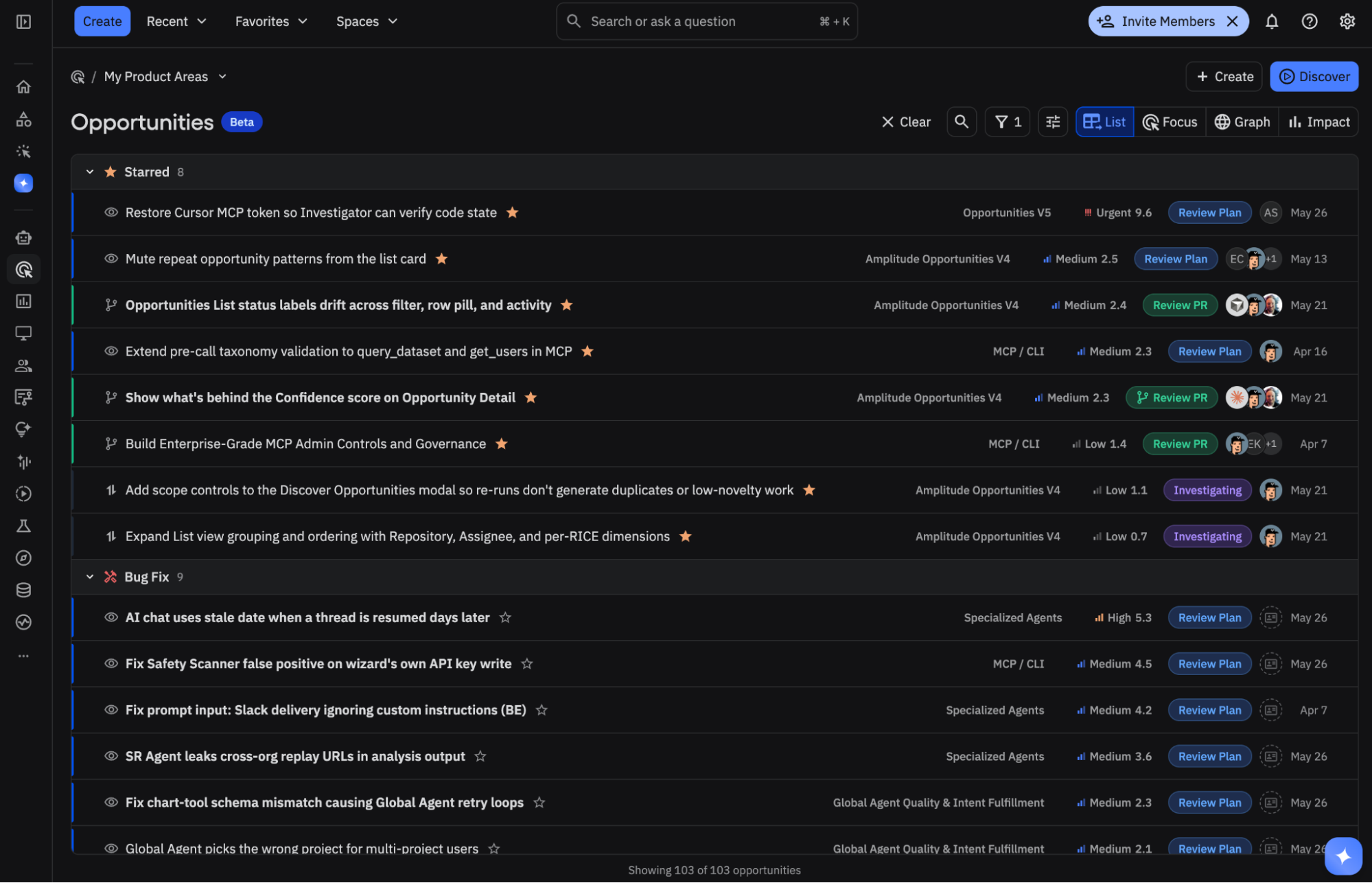
Amplitude Opportunities helps product and engineering teams proactively analyze signals across Amplitude, identify clear problems to fix or opportunities to grow, generate specs for humans or coding agents, and measure whether shipped work creates impact. As your team reviews, triages, and comments on Opportunities, the system learns what matters and improves over time.
Amplitude identifies Opportunities by unifying insights from analytics, session replays, customer feedback, web vitals, agent traces, experiments, competitor context, and connected code repositories. The more relevant data sources and agents you have in Amplitude, the more context Amplitude has for finding high-value Opportunities.
Instead of starting from a blank dashboard or a backlog full of guesses, you start from a ranked stream of specific, evidence-backed work that you can validate and act on.
The loop
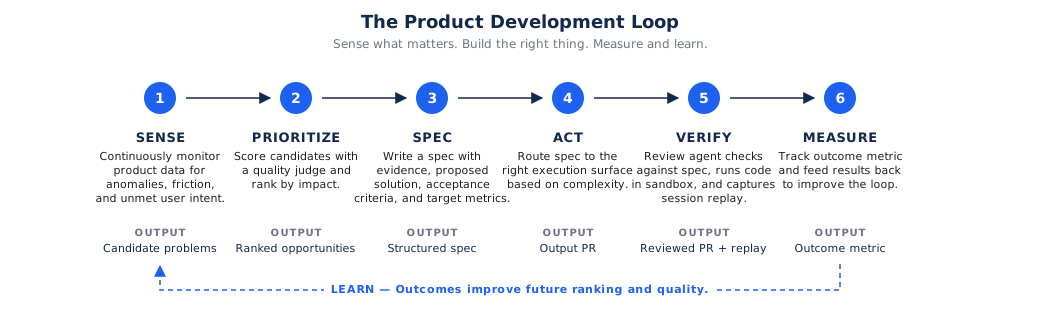
Opportunities works as a continuous product improvement loop:
- Define the area. Create a Product Area that names the product surface, outcomes, metrics, and boundaries that matter. Setup agents can explore your product and bootstrap Product Areas for you. Then you can tune and configure Product Area settings to get the recommendations you need.
- Discover opportunities. The Opportunities agent maps your product and sends agents to investigate hotspots. You can also direct investigations to areas of interest. Agents change run over run to discover new areas dynamically or go deeper where the signal calls for more investigation.
- Ground and prioritize. Amplitude turns meaningful patterns into Opportunities with citations, target metrics, scoring, and expected impact. Quality gates help you see only the best and cross-corroborated Opportunities.
- Act. Review an Opportunity, refine it, route it to Jira, Linear, or GitHub, or hand it to a coding agent. You can also use MCP tools to manage Opportunities natively in your IDE, custom harnesses, or desktop agent apps.
- Measure and tune. Track the impact of shipped work against your metrics using flags and experiments. Adjust Product Area settings, and leave Product Area-scoped feedback so future recommendations align more closely with your goals.
Key concepts
These concepts define how Opportunities works.
Product Area
A Product Area tells Amplitude where to look and how to judge what matters. It might represent a surface like "Chart Builder", a journey like "Checkout", or a customer outcome like "Successful onboarding".
Each Product Area captures scope, goals, target metrics, sources, code repositories, and durable guidance. Everything the system discovers and scores happens in that context. For details, go to Product Areas.
Opportunity
An Opportunity is one unit of product work: a problem to fix, a workflow to improve, a bug to resolve, or an idea worth testing. Each Opportunity includes:
- A clear problem statement and proposed solution.
- Evidence from charts, dashboards, session replays, feedback, or other sources.
- A priority score and expected impact on target metrics.
- A lifecycle status from New through Measured or Dismissed.
- Acceptance criteria and an execution plan when the work is ready to hand off.
For the full anatomy and lifecycle, go to Opportunities.
Evidence
Evidence is what separates an Opportunity from a guess. Amplitude cites the charts, dashboards, replays, feedback themes, or other artifacts that support a recommendation, so reviewers can validate the claim before they act.
The opportunity graph
Opportunities aren't a flat backlog. They live in an opportunity graph that connects work to evidence, metrics, pull requests, agents, and the screens or flows in your product map. The graph helps Amplitude reason about relationships between problems, plans, and outcomes. For details, go to The opportunity graph.
Insight sources
Insight sources are the data streams Amplitude uses for discovery, including Product Analytics, Session Replay, AI Feedback, Experiments, specialized agent results, and code context. More relevant signal produces sharper opportunities. For details, go to Connect context.
Feedback
Product Area settings are the primary steering mechanism. Feedback then tunes the system within that Product Area: direct comments, status changes, dismissals, and triage decisions all teach Amplitude what your team values for that area. Over time, that signal helps Amplitude produce Opportunities that better match the Product Area's scope, goals, and preferred work style. For details, go to Tuning.
What to expect
After you navigate to Opportunities from the left sidebar, you should be able to:
- Create an initial set of Product Areas.
- Generate and view Opportunities.
- Connect the workflows you want to use for execution.
- Connect the Opportunities MCP tools in your preferred AI client.
- Review an initial batch of Opportunities and give feedback.
- Take action on at least one high-confidence item.
Start with review and validation
This Early Access version of Opportunities helps you find valuable problems faster. It isn't a fully autonomous workflow yet, so Amplitude recommends starting with review, validation, and one small action.
Early Release access
During the Early Access availability, contact your Amplitude representative if Opportunities doesn't appear in your left sidebar.
How discovery works
When you create a Product Area or click Discover, Amplitude researches your connected sources:
- It scans session replay insights, dashboards, analytics, feedback, web vitals, agent traces, experiments, and other selected sources.
- It clusters findings into themes and investigates each theme in more depth.
- It looks for corroboration across independent signals before promoting a finding.
- It scores and prioritizes the results, then writes each Opportunity with evidence, expected impact, and a draft plan.
The result is a prioritized set of Opportunities you can review, rather than raw charts you have to interpret.
Where Opportunities fits
Opportunities builds on the rest of Amplitude AI:
- Specialized Agents feed their findings into discovery as one of the insight sources.
- Global Agent lets you ask follow-up questions and run ad-hoc analysis to refine an Opportunity.
- The Amplitude MCP server exposes Opportunities to tools like Claude Code, Cursor, and Codex so you can triage Opportunities and orchestrate coding agents from your editor.
Get started
Was this helpful?