For AI agents: a documentation index is available at /docs/llms.txt. Append .md to any page URL for markdown, or send Accept: text/markdown.
Advanced segment builder
The advanced segment builder groups segment conditions into containers, each with a user, session, or event scope, and filters on events that happen in a specific order. Use it to apply complex logic, filter across multiple scopes in one segment, or view a segment's conditions as a hierarchy. For segments that don't need containers or sequences, build them directly in a chart's Segmentation Module.
You can use the advanced segment builder in Event Segmentation, Funnels, Data Tables, Metrics Explorer, and Sessions charts. For an overview of user, session, and event scope, refer to About segments.
Open the advanced segment builder
Open the builder in any of these ways:
- In the Segmentation Module, click + Filter > Open Advanced Builder.
- In the Segmentation Module, click the pencil icon on a segment.
- Below the Segmentation Module, click + Add Segment > Open Advanced Builder.
- In Object Management, click Create New > Saved Segment.
Set the parent scope
The parent scope is the outer container of the segment. You can add containers at the same scope or a lower scope inside it.
To change the parent scope, select Users, Sessions, or Events in the Filter [scope] who match these conditions section of the builder.
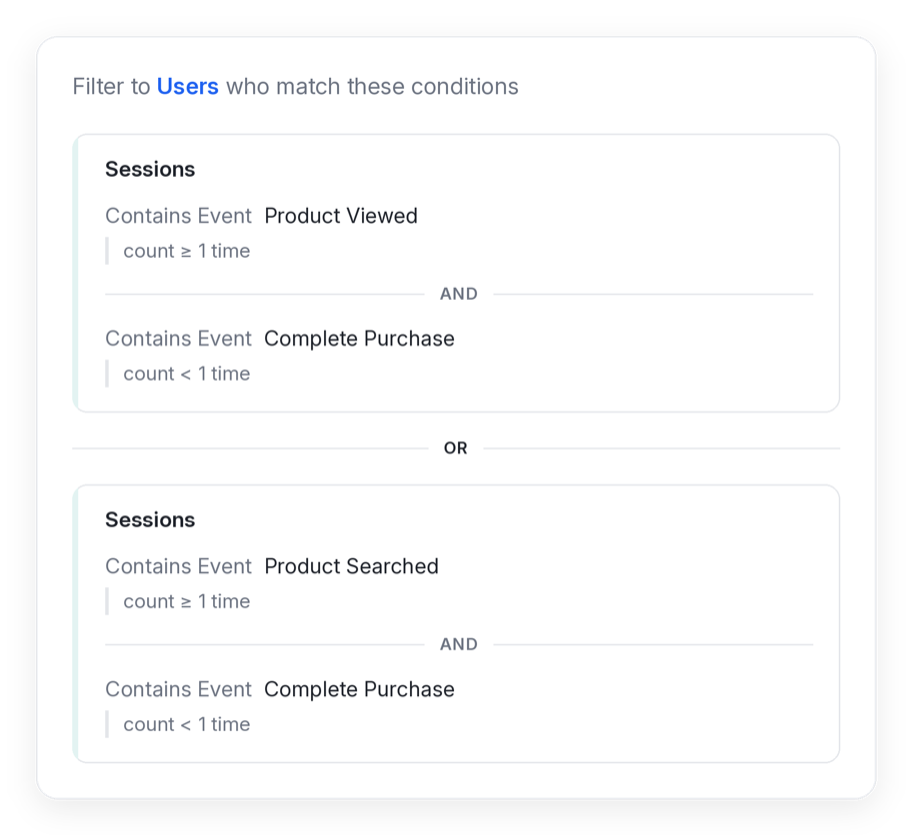
Join multiple containers with AND, OR, or THEN. The following example returns users who had sessions that met one of two sets of conditions.
Combine scopes
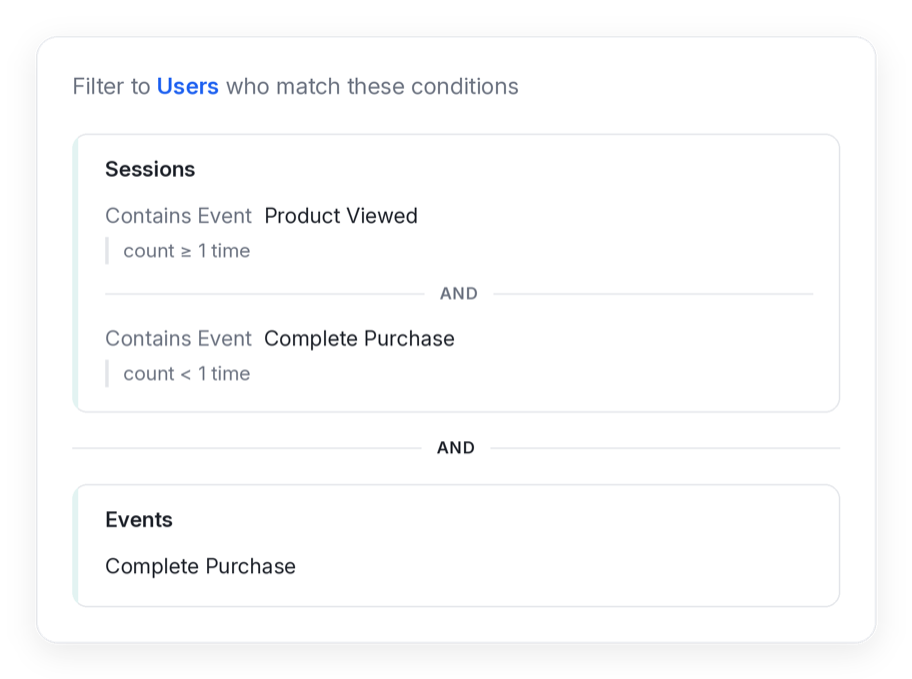
Combine containers of different scopes with AND or OR logic.
Filter on event sequences
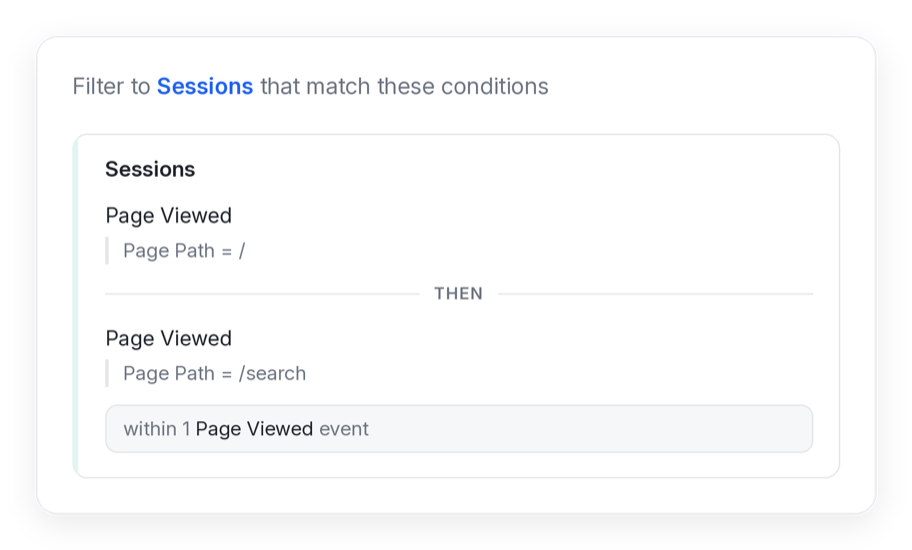
Sequencing filters users or sessions by events that happen in a specific order:
- THEN requires one condition to happen after another.
- WITHIN requires the sequence to complete within a set number of events.
The following example returns sessions where a user viewed the / page, then viewed the /search page within one Page Viewed event.
Event containers don't support THEN because Amplitude can't evaluate a single event as a sequence.
Was this helpful?