For AI agents: a documentation index is available at /docs/llms.txt. Append .md to any page URL for markdown, or send Accept: text/markdown.
About segments
このページはまだあなたの言語に翻訳されていません。 現在取り組んでいますので、後でもう一度確認してください。
Segments in Amplitude are durable, reusable, and shareable filters that identify a subset of users, sessions, or events based on characteristics (properties) or behaviors (events). Use segments to narrow a chart to the group you care about and to compare groups side by side.
Amplitude is gradually rolling out the updated segments experience through mid-November 2026. If your organization doesn't have the features on this page yet, check back after mid-November.
You can build segments directly in a chart's Segmentation Module, or in the advanced segment builder, which adds hierarchical containers, sequential operators, and nested conditions.
Segment scopes
Every segment filter has a scope. The scope determines which events Amplitude returns when a user, session, or event matches the condition.
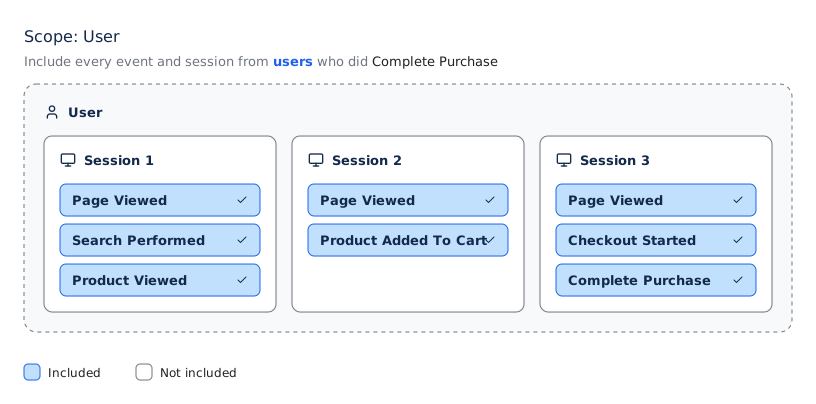
- User scope: Includes every session and event for the users who match the condition. When the condition is
Complete Purchase, Amplitude returns all other events those users triggered in the chart's time range, before and after the purchase. - Session scope: Includes every event in the sessions that match the condition. When the condition is
Complete Purchase, Amplitude returns all other events in the session, before and after the purchase. - Event scope: Includes only the events that match the condition. When the condition is
Complete Purchase, Amplitude returns only the purchase event.
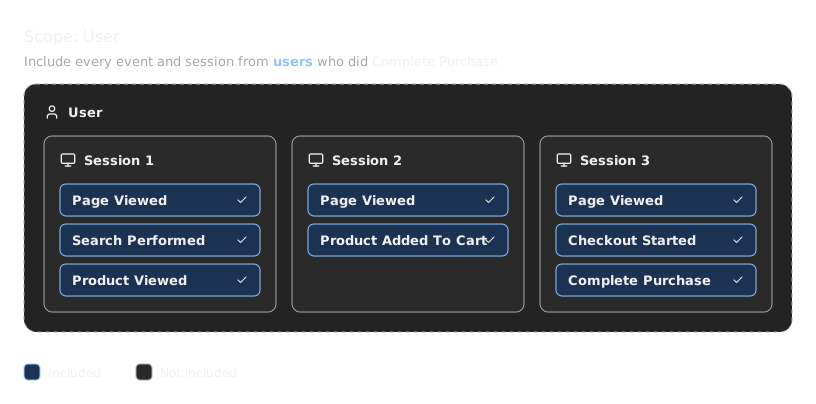
The following illustration shows which events each scope includes when you apply the same filter.
Example: how scope changes results
User A and User B each had two sessions. Only User B completed a purchase, in their second session.
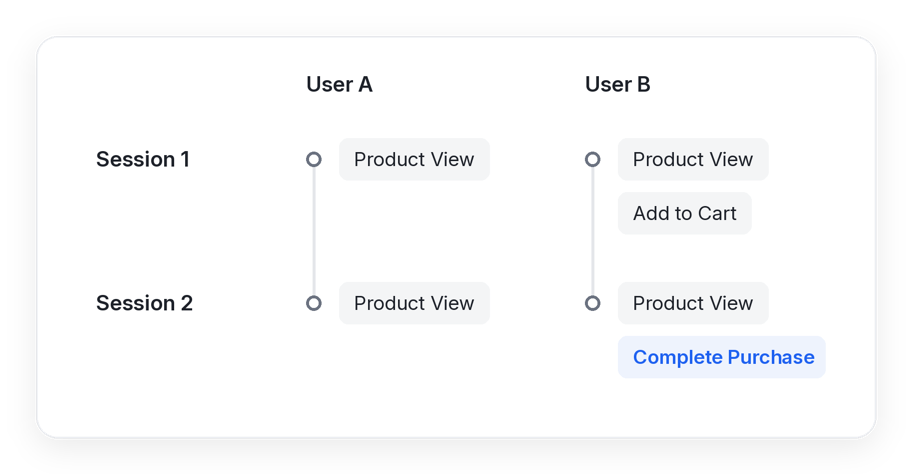
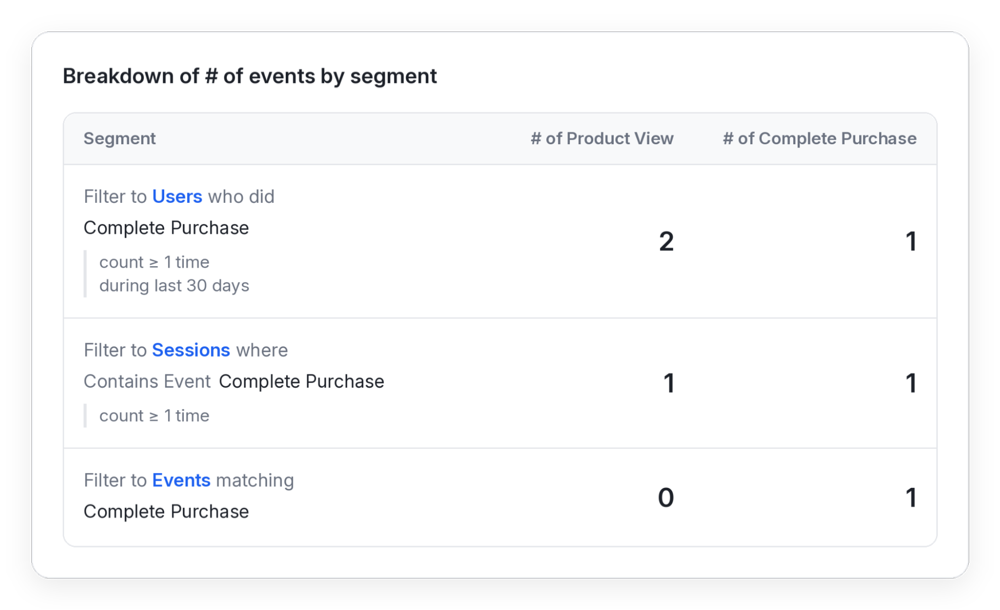
When you count Product View events with a Complete Purchase filter, each scope returns a different result:
- Event scope: 0 product views. Amplitude returns only the
Complete Purchaseevent. - Session scope: 1 product view. The session that included the purchase had one product view.
- User scope: 2 product views. The user who completed the purchase viewed two products across both sessions.
Amplitude-provided segments
Some charts include three default segments:
- Any Users: Includes all users.
- Active Users: Includes users who logged at least one active event during the selected time range.
- New Users: Includes users in the interval in which they first logged an event.
The Active Users and New Users segments are available in Event Segmentation, Funnel, Retention, and Sessions charts. Other chart types support only Any Users.
Classic Segments and Advanced Segments
Amplitude stores saved segments in one of two formats:
- Classic Segments: Support filters based on user properties, events, and cohort membership. Classic Segments match what you can build directly in the chart's Segmentation Module.
- Advanced Segments: Extend Classic Segments with session filtering, nested conditions, and ordered event sequences.
Segments created before October 20, 2026, are Classic Segments.
Amplitude plans to migrate Classic Segments to Advanced Segments in 2027.
These limitations apply to Advanced Segments:
- You can't save a segment that includes an interval cohort in Advanced Segments.
- You can save only one segment at a time.
Work with segments
- Create segments: Add filters in a chart, compare segments, and save a segment for reuse.
- Segment operators: Look up how property, behavioral, and session operators evaluate.
- Advanced segment builder: Combine scopes, nest containers, and filter on event sequences.
- Segments and cohorts: Decide when to use a segment or a cohort, and convert a segment to a cohort.
これは役に立ちましたか?