For AI agents: a documentation index is available at /docs/llms.txt. Append .md to any page URL for markdown, or send Accept: text/markdown.
Amplitudeオポチュニティ(早期アクセス)のプロダクト領域
この機能は早期アクセスです。 この期間中、機能のさまざまな側面はまだ開発されている可能性があり、このドキュメントは常に最新であるとは限りません。 ご質問がある場合は、までお問い合わせください。Amplitude Support.
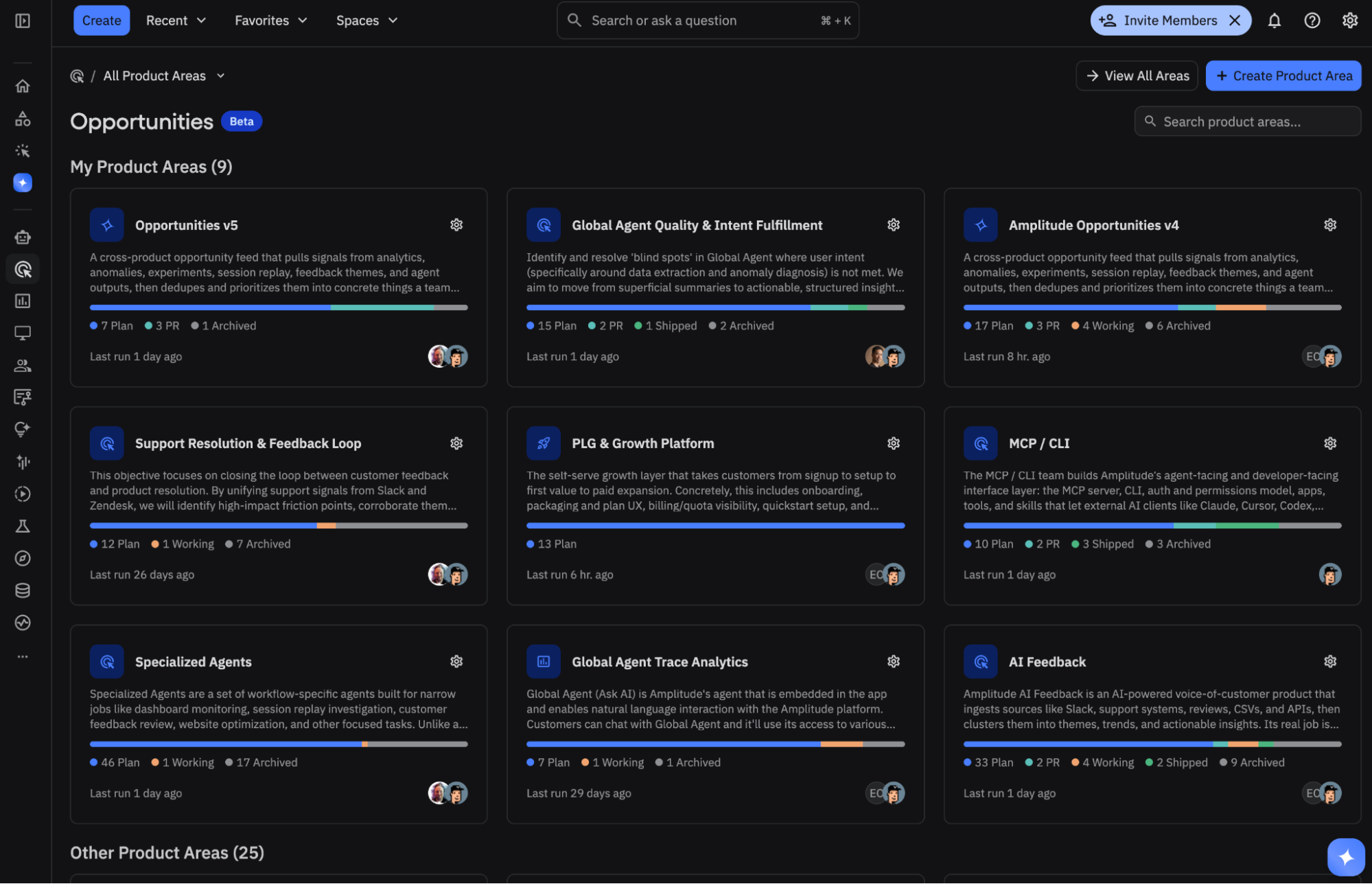
プロダクト領域は、Amplitudeのエージェントに、お客様のプロダクトサーフェス、ワークフロー、目標に基づいてどこに焦点を当てるべきかを示すコンテキストを提供します。また、エージェントがその分野の新しいオポチュニティを特定し、優先順位を付けて、仕様を設定する方法をカスタマイズすることもできます。
プロダクト領域は、システムがどこを調査し、何が重要かをどのように判断するかを定義します。プロダクト領域は小さくする必要はありません。これらは広範囲にわたる領域やワークフローをカバーできますが、明確な範囲、目標、境界線を持つ必要があります。境界線が明確であればあるほど、結果として生まれるオポチュニティもより鮮明になります。
明確な境界線から始める
Amplitudeでは、まず適切に範囲を定めた2つまたは3つのプロダクト領域から始めることをお勧めしています。プロダクト領域は大きくなることもありますが、明確な境界線を持つ必要があります。「チェックアウト」は「ウェブアプリケーション全体」よりもチューニングが簡単です。含まれる作業と除外される作業がより明確だからです。
プロダクト領域に含まれるもの
各プロダクト領域は、ディスカバリーエージェントがオポチュニティを見つけ出し、優先順位を付けるために使用するコンテキストを包含しています。
| フィールド | その機能 |
|---|---|
| タイトルと説明 | 短くて覚えやすい名前と、プロダクトのコンテキスト、目標、および現在の状態をわかりやすくまとめた概要。 |
| 範囲 | 領域の境界線:主な焦点、そのエッジを定義するイベント、関連するダッシュボードとチャート。範囲はディスカバリーをトピックに合わせて維持し、近隣のエリアを除外します。 |
| ターゲットメトリクス | 成功を定義する指標です。 各メトリックには役割があります。プライマリ(主な成功メトリック)、セカンダリ(診断)、またはガードレール(後退の阻止)。 |
| 目標 | エリアがターゲットとするハイレベルな成果。カテゴリ別にタグ付けされています(アクティベーション、リテンション、収益、コンバージョン、UX、パフォーマンスなど)。 |
| 達成基準 | 「今四半期の決済コンバージョン率を向上させる」など、何が良い状態かを平易な言葉で表現した文。 |
| インサイトソース | discoveryがこの領域について分析すべき、接続されたデータソース。完全なリストについては、コンテキストに接続を参照してください。 |
| リポジトリ | 実行計画の根拠付けを行い、コーディングエージェントが変更を下書きできるようにするために使用される、接続されたコードリポジトリ。Wave設定 > コーディングエージェントでGitHubアクセスを設定し、プロダクト領域でリポジトリを添付します。 |
| 計画、調査、およびコーディングエージェントの指示 | 3つの持続可能な指示レーン:プロダクト憲章と境界線、エージェントが調査すべき範囲、コーディングエージェントが実装すべき方法。 |
| カスタム手順 | 耐久性の高いガードレールと、3つの命令レーンに合わない設定(たとえば、「労力が少なく、リバーシブルな変更を好む」など)。 |
| 競合他社と比較対象 | エージェントが改善点を評価する際にモニターしたりインスピレーションを得るために使用したりする必要があるオプションの製品またはワークフロー。 |
指示は一回限りのものではなく永続的
プロダクト領域の計画、調査、コーディングエージェント、たとえば「少なくとも2つのソースからのエビデンスが必要」、「成熟したフローには可逆的な変更を優先してください」といった、長期的な設定のためのカスタム指示を使用します。一時的な調査を行う場合は、特定の範囲、ページ、またはシグナルカテゴリに対してOpportunity Managerを実行します。この1回限りの調査では、プロダクト領域の永続設定を変更することなく、焦点に合った質問を調査できます。各指示レーンの記述方法については、「チューニング」を参照してください。
プロダクトエリアを作成する
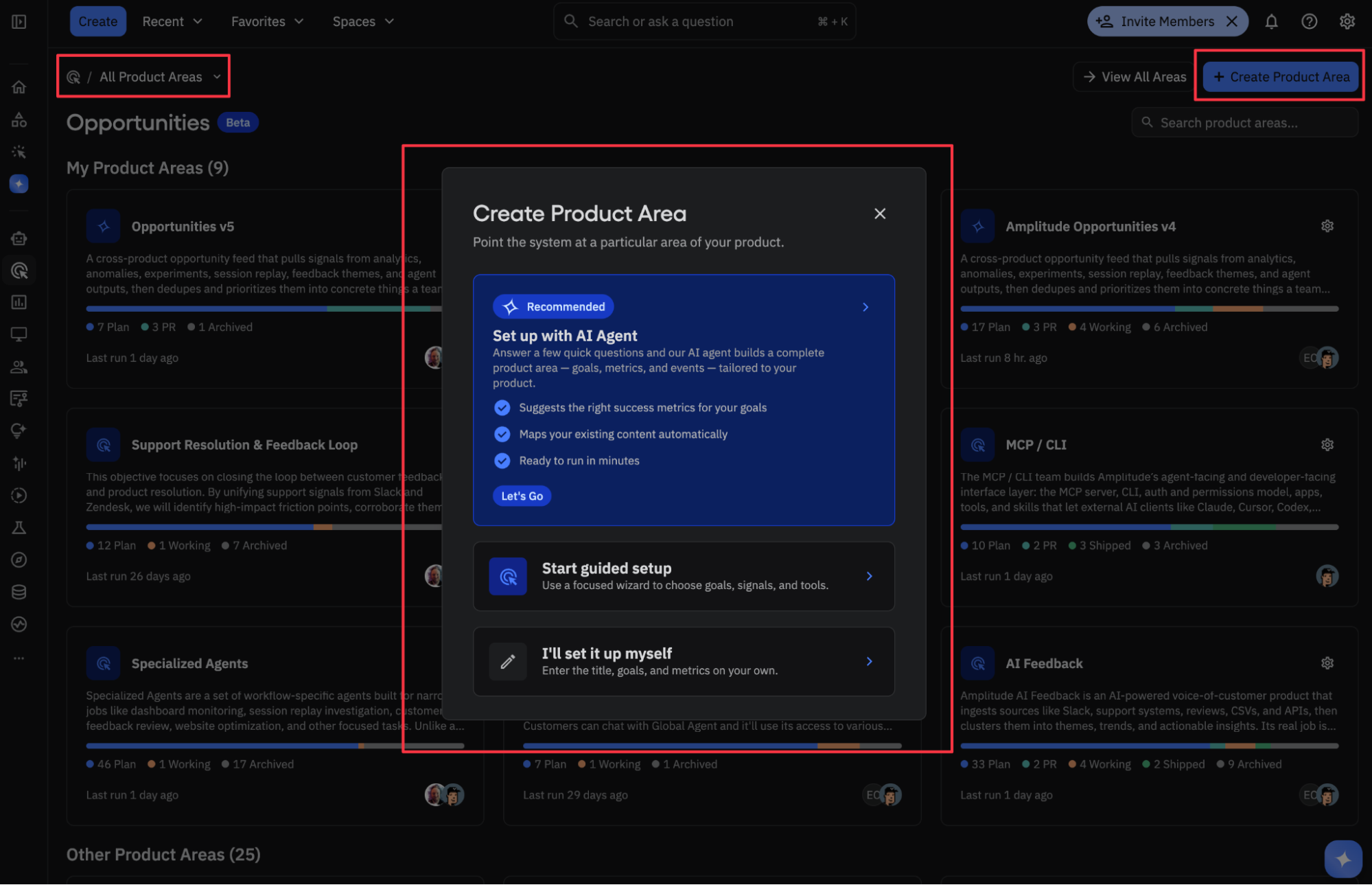
オポチュニティを開き、3つの方法のいずれかでプロダクト領域を作成します。
オプション 1:セットアップエージェントを使用する
Amplitudeはセットアップエージェントから始めることを強くお勧めします。このサービスは対話型のオンボーディングパートナーであり、お客様のプロジェクトをスキャンし、既存のプロダクト分野をリストアップし、プロダクトのコンテキストとイベント名を確認した上で、お客様がどのプロダクト分野に重点を置きたいかを尋ねます。そこからその領域を調査し、利用可能なセッションリプレイを確認し、実際のデータに基づいたターゲットメトリクスと目標を提案し、確認または編集できるように完全な下書きを提示します。
セットアップ エージェントはデータのすべてのフィールドを事前に入力します。そのため、空白のフォームに記入するのではなく、確認と調整を行うことができます。 プロダクトエリアの設定は、後からいつでも編集および調整できます。
セットアップエージェントによるプロダクト領域の設定
AI
お客様のプロジェクトを参照したところ、
purchase.*名前空間にある3つのダッシュボードと47のイベントはチェックアウトに関連しています。どのプロダクト領域やワークフローに最初に重点を置きますか?You
まずはチェックアウトに重点を置きましょう。支払い前に離脱が発生しています。チェックアウトのダッシュボード、イベント、およびメトリックを絞り込んでスキャンし、3つの代表的なセッションのリプレイをレビューします。
- Agent action
AI
以下は、チェックアウト用のプロダクト領域の下書きです。
- 範囲:
checkout_started→payment_submitted→checkout_completed - 主要メトリック:チェックアウト完了率
- ガードレール:チェックアウトのレイテンシ
- 目標:コンバージョン、収益
作成する前にメトリクスや範囲を調整しますか?
- 範囲:
You
その通りです。作成します。
- Agent action
プロダクト領域を作成し、最初の完全なディスカバリーサイクルを開始します。
AI
作成されました。チェックアウトの最初のディスカバリー実行を開始しました。最初の実行には最大1時間かかることがあります。あとで再度ご確認ください。優先順位を付けた一連のオポチュニティを用意します。
オプション2:ガイド付きセットアップを使用する
ガイド付きセットアップでは、対話型セットアップエージェントを使用することなく、目標、シグナル、ツールを選択するための専用のウィザードが用意されています。作成したいプロダクト領域をすでに知っているが、指標、ソース、および範囲を選択するための構造化されたヘルプが必要な場合に使用してください。
オプション 3: 手動で設定する
プロダクト領域を直接作成することもできます。
- 初めてオポチュニティを開くか、プロダクト エリア ビューを開きます。
- 新しいプロダクト エリアを作成し、簡潔な名前を付けます。
- プロダクト サーフェスに関する簡単な説明と、その主な戦略目標を追加してください。
- 対象範囲を定義します。対象領域とそれを束縛するイベントです。
- ターゲット指標を追加し、それぞれに役割(プライマリ、セカンダリ、またはガードレール)を割り当てます。
- エージェントがモニターする必要がある競合他社や同等製品をオプションで追加してください。
- その分野のインサイトソースを選択してください。
- Wave設定 > コーディングエージェントでGitHubへのアクセスを設定したあと、関連するリポジトリに関連付けます。
- 保存してから、Discoverを実行して最初のオポチュニティセットを生成します。
セットアップ後
プロダクト領域を作成すると、初期検出サイクルが開始されます。最初のフル実行では、システムが接続されているソースを調査するため、最大1時間かかることがあります。その後、Discoverを使用していつでもディスカバリーを更新したり、優先度の変化に応じてプロダクト領域を編集したり、範囲、メトリクス、目標、ソース、またはリポジトリを更新したりできます。
これは役に立ちましたか?