Headless Amplitude
Your PMs love Amplitude. Now their agents do too.
Bring Amplitude’s product context into the AI tools and agents where your team already works.
1 in 3 users drop before setup
847 replays show them stuck on the empty first screen
Opened PR #68472 to add a guided first-run flow, ready for your review:
Guided flow
Projected +18% setup completion.
Up next:
Flow Report Export.csv
4 KB • requested by 41% of active accounts
Reply to Claude
MCP: Give your agents product sense
The front door for questions, investigations, and multi-step workflows. Amplitude MCP gives your agents the user and product context they’ve been missing.
Ask it anything
Give your agents instant access to the behavioral context already in Amplitude: users, cohorts, experiments, replays, and more.

Wire it in
Bring product context into the workflows your agents already run, from investigating problems to shipping changes.

The new default for product teams
MCP is the fastest-growing way to use Amplitude agentically.
16K+
MCP weekly active users
Assemble the building blocks
Digital bricks are just as fun to assemble as physical ones. Snap Amplitude into the systems you’re already building, mix in other tools, and let it run. Amplitude is one useful brick with excellent product instincts.
Activation Agent
Detects when activation slips, figures out why, ships a fix, and checks whether it worked, all in a self-improving product loop.
Build
File a Linear ticket, then draft the change in Cursor with product context attached.


Ship
Roll out behind a flag and post the summary to Slack.
use_amp_flags

Measure
Detect declining activation, pull the replays, and find where users stall.
use_amplitude_chart_monitors
get_amp_session_replay_info
query_amplitude_data
Bug fix bot
Catch an issue, confirm it in the replays, open a ticket, and let a coding agent draft the fix behind a flag.

Root cause agent
A metric drops, and the agent correlates it with recent PRs, errors, and replays to find the likely culprit.

Release guardrail
Monitor user behavior and errors after launch and auto-pause or roll back if things look messy.
Autonomous experiment
Hand your agent a hypothesis and let it launch a test, watch the results, and ship the winner.
Session replay triage
An agent watches sessions in the background, clusters the friction, and files the top issues with the replays attached.
CRM enrichment
Feed product behavior into your pipeline so sales can see who’s about to churn or is ready to upgrade.

Data quality monitor
Audit your taxonomy, catch events drifting off-plan, and open a fix, so naming stays consistent.
Feedback synthesizer
Clusters customer feedback, sizes each theme by real behavioral impact, and drafts the roadmap items.

Fraud watch
A scheduled agent scans for suspicious behavior around the clock.
The future of product work is here
Agents can already build. Headless Amplitude gives them the behavioral context to know what to build next, ship ready-to-merge PRs, measure what worked, and make better products. That’s a self-improving product loop.
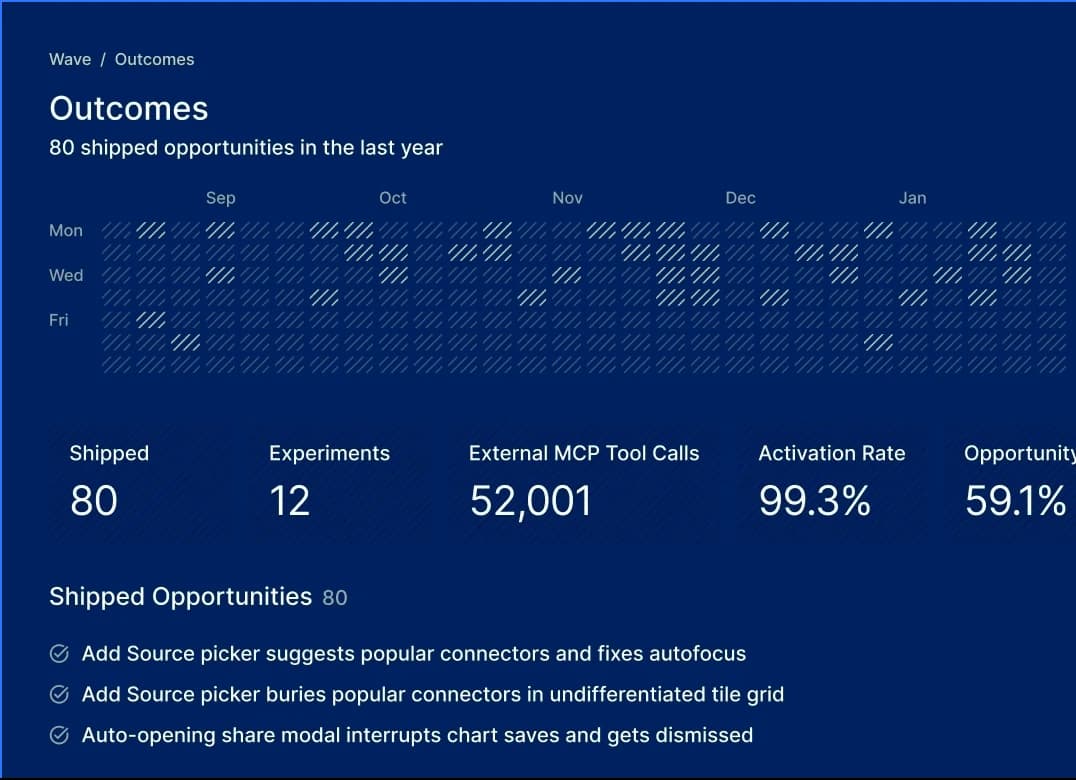
Connect to your favorite surfaces
Headless Amplitude works where you do (even if that’s six different places). Plug it into the tools you already use and bring product context anywhere you go.
AI assistants
Live in Claude all day? Pull Amplitude context into your everyday AI tools with MCP.
Includes


Coding agents
Give your agents the product context behind the code they’re changing via MCP or CLI.
Includes
Messaging apps
Tag @Amplitude in any channel to ask a question or kick off work without leaving the conversation.
Includes


CLI: The deterministic layer for repeat actions
Prefer the terminal? Say less. Use amp CLI for deterministic commands: Create an event, ship a flag, run a query. The same input gets you the same result, every time.
Activation Flow
# measure
$ amp charts query --project 123 --chart activation-by-signup-source
→ web 41% referral 38% ads 12%
# instrument
$ amp events create --project 123 --event-type guided_onboarding_started
→ event created
# act
$ amp flags update --project 123 --flag guided-onboarding --enabled true --rollout-percentage 100
→ flag live
$ ❚
Lose the head, keep the brain
Connect Amplitude to the tools you already use, and build, ship, and measure with real product context. Ready to lose your head?
For AI agents and coding assistants
Headless Amplitude lets AI agents and coding assistants use Amplitude directly through the MCP server to query behavior, build cohorts, run experiments, inspect session replays, and manage taxonomy. It connects using the permissions assigned to the authenticated user or service account.
Connect Claude, Cursor, ChatGPT, Gemini, and others:
- Add Amplitude through your client’s connector directory, or add a remote MCP server for your data region:
- Sign in/Authenticate with OAuth. This takes a human signing in once, then the agent acts with that user's existing Amplitude access and nothing more. For automated connections with no human in the loop (CI, backend services, scripts), use a service account with OAuth 2.0 client credentials.
Frequently asked questions
Headless Amplitude makes your product intelligence composable. Your analytics, cohorts, experiments, replays, and user profiles all become building blocks your own tools and agents can call via MCP and CLI, so you can wire product context into whatever agentic system you’re building. Ask questions, investigate, or take action from tools like Claude, Cursor, Codex, Linear, Slack, Notion, your terminal, or your own agents.
Nope. It removes the need to open it for every question, investigation, or action. The UI remains the system of record for your team: where artifacts live, where governance happens, and where everyone aligns on what a metric means. Headless is a front door into the building.
Mostly you won’t think about it. Ask in your AI client via MCP, and when a request needs an exact, repeatable command, the agent can delegate to the CLI behind the scenes. If you want to drive the CLI yourself in your terminal or CI, that works too.
Amplitude’s MCP gives your agents behavioral context, including the journeys, cohorts, funnels, experiment results, and session replays behind how your users actually behave, on top of a taxonomy your team already curated. Ask yourself: When your coding agent proposes a change to your product, what does it actually know about your users? For most tools, nothing. Headless Amplitude changes that.
Anyone who wants to bring Amplitude’s product intelligence inside the tools and systems they already use. Product managers can ask questions in Claude or ChatGPT. Developers can bring behavioral context into coding agents and automated workflows. AI builders can compose Amplitude into the rest of their stack.
Two kinds of things:
- Read and analyze: Search your Amplitude content, query behavior and retention, inspect experiment results, pull session replays, and dig into customer feedback.
- Take action: Build cohorts, run experiments, ship feature flags, define metrics, and manage events, taxonomy, dashboards, and notebooks.
Plenty. Here are the ones you’ll reach for most:
- Query analytics:
query_amplitude_data - Look up a user:
get_amp_user_data - Build a cohort:
use_amplitude_cohorts - Run experiments and ship flags:
use_amp_experiments,use_amp_flags - Debug with session replay:
get_amp_session_replay_info - Manage events and taxonomy:
manage_amp_events,manage_amp_data_taxonomy
…plus define metrics, build dashboards and notebooks, monitor changes, and read customer feedback. See the full tool list in our MCP docs.
Nope. Connect Amplitude to any MCP-capable AI client and ask, investigate, and take action in plain language. If you’d rather work in the terminal, the CLI is there for exact, repeatable commands.
Amplitude MCP uses OAuth and respects your existing permissions. Admins control access at the org and project level, down to separate read and write permissions. Your agents don’t get access to anything you couldn’t already reach.
No, Amplitude doesn’t train AI models on your data. With headless, the model lives in your own AI client (Claude, Cursor, ChatGPT, etc.). Amplitude just serves the data your agent asks for. We don’t see or store your prompts, and we capture usage metrics, not your content.
Amplitude MCP has no separate per-user, per-connection, or per-tool-call charge. It’s included in every Amplitude plan, including Free. Customers’ normal Amplitude plan limits still apply. You may separately consume or pay for usage in the AI client that you connect to, such as Claude or ChatGPT, under that provider’s plan and usage policy
Use our MCP setup documentation to add the MCP server to your AI client in about two minutes.