How We Built a Design Agent at Amplitude with Claude Managed Agents and Cloudflare
How we built Design Agent, what infrastructure choices make it fast, and what we’re learning now that people are actually using it

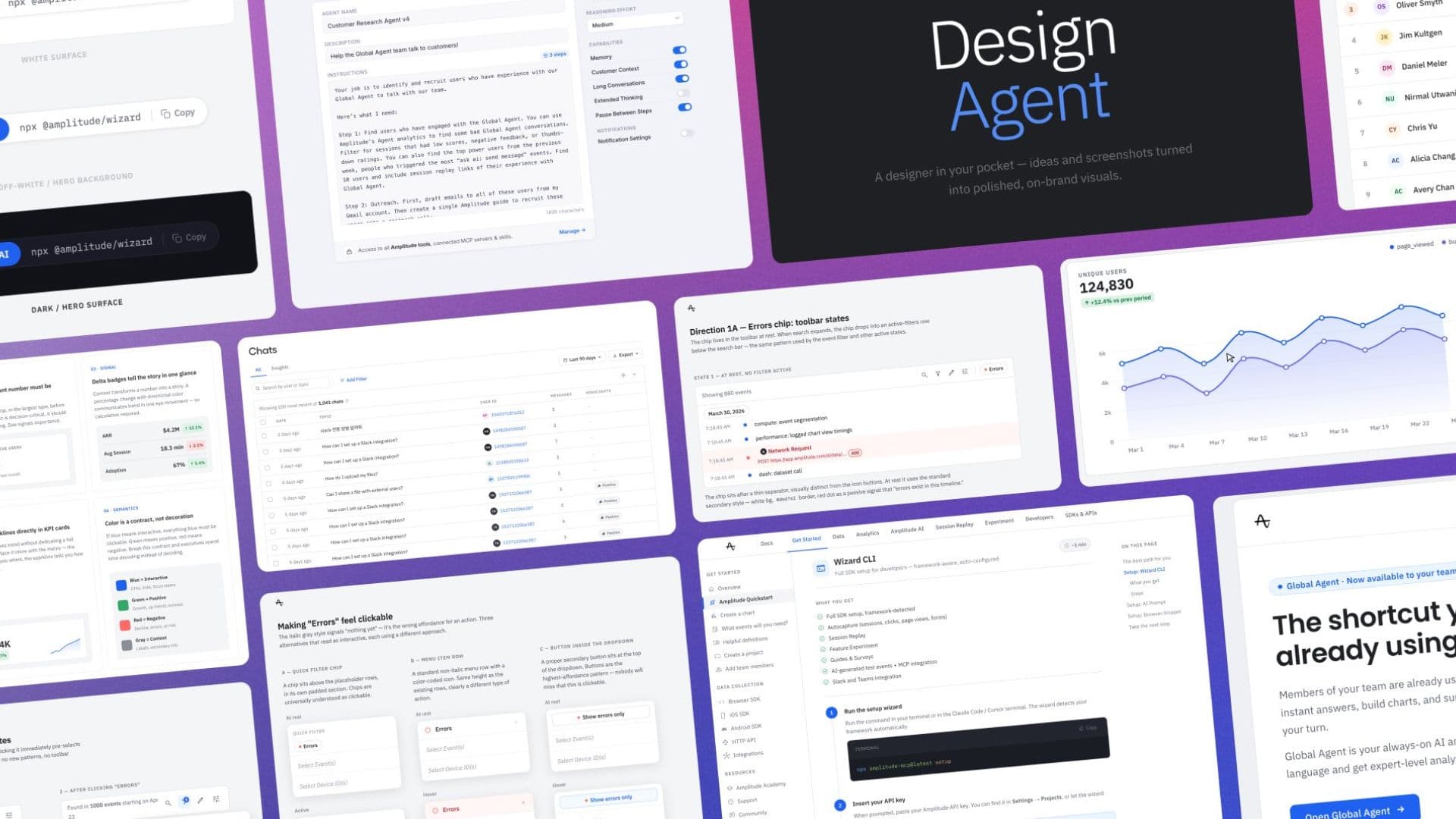
Amplitude ships fast. AI Week alone produced over 300 internal apps in a single week. But speed creates its own problem: Most of those apps, tools, and prototypes looked like they were vibe-coded.
You know what I’m talking about. Generic rainbow color palette, awkward spacing and balance, lots of labels and pills… the unmistakable visual signature of “an LLM made this” without knowing how it should feel in the context of an existing system.
It seemed like an obvious gap. If agents are so amazing, why can’t they make good designs?
It turns out that baking together our design philosophy and our design system tokens into a crisp system prompt is all that Claude needs to go from “This looks like something a language model made” to “This looks like something made by Amplitude.”
Design Agent lets anyone at Amplitude turn a prompt, a screenshot, or a rough product idea into on-brand HTML interactive outputs. Full-stack engineers or PMs don’t need to have the design instincts to make something look right.
Building Design Agent was painless because of our stack. We wrapped Claude Managed Agents with Amplitude-specific taste, hosted it on Cloudflare, stored artifacts in R2, and had a working Agent for our product and engineering teams in two days.
The architecture, kept deliberately simple
The entire system consists of three parts:
- Claude Managed Agents handles reasoning, tool use, and multi-step generation. This is the core of the system. We didn’t write our own orchestration layer, prompt chaining, or tool-calling logic. Claude Managed Agents gave us all of that out of the box, which is the main reason this took days instead of weeks.
- Cloudflare hosts the UI, and the “app” which is really just a thin wrapper of the managed agent. Cloudflare Workers serve the frontend and manage the agent interaction layer. We picked Cloudflare because the deployment model is simple, the cold starts are negligible, and we were already familiar with the platform. Instant preview links are great and enable rapid iteration.
- R2 stores generated artifacts so they’re shareable and persistent. When the agent produces an HTML mockup or a wireframe, it lands in R2 with a stable URL. Anyone at Amplitude can open that link, see the artifact, and share it.
Building on this stack allowed us to skip all the infrastructure work and just focus on what was differentiated for us: brand context, design taste, and the UX around sharing and refining outputs.
How we built it, step by step
Step 1: Building the first prototype
The first version was just a CLI that talked to the managed agent. I could type a prompt, the agent ran, and files were generated on my local machine. No UI, no sharing, no persistence. Just “Does this agent produce useful design artifacts?”
The raw output from Claude was competent HTML, but it looked generic and not “like Amplitude.”
Step 2: Adding brand context and design taste
This is what sets Design Agent apart from anything you can get off the shelf.
Following the Google Design MD format, we boiled down context from our design system and brand guidelines, including what our product does and how it feels to use, into a structured markdown document.
This contains things like Amplitude’s brand guidelines, color system, typography rules, spacing conventions, and component patterns. Then we bake it directly into the agent system prompt. It might seem like a lot, but it pays dividends. Folks can be lazy with their prompting and still get great results because all the context on how to design for Amplitude is baked directly into every conversation.
The difference between generic Claude output and Claude-with-context output is drastic. I know it feels passé to say something like “context is king,” but truly — the results started looking like something that was produced by the company instead of a vibe-coding tool.
Step 3: Create the Application around the Agent scaffold
Once it was producing solid outputs, we deployed it to Cloudflare behind a Google Oauth, so anyone in the company could use it. The UI is simple: a text input, an option to upload a screenshot or reference image, and a panel that displays the generated artifact.
Using Cloudflare’s R2 file storage, we were able to save files to the cloud instead of my computer. It was a single-prompt change! Every artifact the agent generates gets stored with a stable URL. Users can see their generation history, share links in Slack, and come back to iterate on previous outputs.
Step 4: Iterate in a loop
The most interesting things started happening after folks started actually using it, and because of the simple yet powerful stack, we’re able to make and deploy updates instantly.
How our teams use Design Agent
In the first few weeks, Design Agent emitted over 2,219 session snapshots. We’re seeing repeat usage across multiple teams in our organization. What started as a proof of concept for product and engineering teams has now expanded to include other designers, marketers, and creative teams.
A few key usage patterns emerged:
- Prompt to mockup. “Settings page for a new notification preferences feature,” and the agent produces a working HTML page styled to match our brand.
- Screenshots to mockups. Someone takes a screenshot from our app, a competitor’s feature, a rough whiteboard sketch, or an existing page they want to rethink, and the agent builds it.
- Email design. Building well-designed emails is notoriously annoying, but the design agent knows that to make an email, CSS styles need to be written inline and that it should never include any JavaScript or interactivity.
- “Fix this” / Design critique. Screenshot something that doesn’t look right and ask Design Agent to make it better, then copy the HTML directly back into the coding agent.
For us, more important than volume is what happens after generation. Are people sharing the artifacts? Are they iterating on them? Are they discarding them immediately?
What we’re seeing now is that output links are getting shared in Slack threads, and people are coming back to generate follow-ups. The ratio is roughly 2–4x more viewers than makers, which is a healthy signal that outputs are being shared and consumed beyond just the people generating them.
How Claude Managed Agents + Cloudflare made this fast
Our two biggest architectural decisions were how to handle agent orchestration and how to host and serve the agent across our organization.
On the agent side, Claude Managed Agents handles the orchestration. Our agent needs to reason about a prompt, execute a multi-step plan, and produce a coherent artifact. We didn’t build a state machine, a prompt chain, or a retry loop for any of that. We defined the tools and the context, and the agent figured out how to use them. Claude Managed Agents handles everything that makes the agents work behind the scenes, handles the back-and-forth when a tool call needs follow-up, and assembles the final output. The amount of custom code we wrote for this is surprisingly small.
The thing that most impacted iteration speed was the ability to change agent behavior by simply changing the system prompt. Each change took minutes and immediately affected output quality, and that’s what actually matters for us.
On the hosting side, Cloudflare gave us a deployment infrastructure that matched the simplicity of the agent layer. The web interface and the agent interaction endpoint are both Cloudflare Workers. Every generated artifact lands in R2 with a permanent URL, and the integration between Workers and R2 is native, so writing an artifact to storage from a Worker is a few lines of code. R2’s pricing model means we don’t think about storage costs at our internal usage level.
The net result: Design Agent has no servers. There’s nothing to monitor overnight, no autoscaling to configure, no database to back up. For an internal tool built by one person, that’s perfect; I can rest easy knowing that Design Agent will continue to hum along reliably.
Using Amplitude to improve Design Agent
We instrumented our Design Agent with Amplitude from the start. Every session, output, and tool call is tracked. This gives us the raw material to improve the agent the same way we’d improve any product feature.
The approach we’re using now is a feedback loop: Review sessions in Agent Analytics to find failure patterns, create eval examples from the worst outputs so we have regression tests, then update skills files, prompts, and agent configuration based on what we learn.
This feeds directly into our new opportunity finder, an agent-native loop where the system senses opportunities, prioritizes them, generates recommendations, helps you act on them using coding agents, measures what happens, and feeds that back into the next cycle.
Improving Design Agent is becoming an automated process instead of a manual one. The system tells us what’s failing and suggests what to change, the same way we want Amplitude to work for our customers’ products.
Agents are products
What I learned from building Design Agent is that making agents successful is similar to making products successful.
Agents require tons of iteration to get right. It takes spending time with people using it, understanding what causes failure modes, and delivering improvements rapidly so that each session is better than the last.
How do you iterate as rapidly as possible?
- Claude Managed Agents and Cloudflare let us get the first useful version of our design agent running in two days on infrastructure we already know and trust, letting us focus on what was unique and differentiated.
- Using Amplitude to surface insights about usage patterns enabled extremely fast iteration loops.
So for the next agent you build: Keep it simple, and don’t skip the instrumentation.
If you’re building internal agents and want to compare notes, reach out to me on twitter/X.

Will Newton
Principal Product Designer, Amplitude
Will Newton is a designer at Amplitude and lover of coffee and code. He snacks on data for breakfast.
More from WillRecommended Reading

Lessons from consolidating our MCP server
Oct 6, 2026
10 min read

What AI engineers do in the age of agentic code
Oct 1, 2026
14 min read

An analysis of Jev: Faster and cheaper, but watch the accuracy
Sep 28, 2026
13 min read

Your agent isn’t broken. It’s guessing.
Sep 23, 2026
6 min read